
Run a SQL query and export the result
Confirm what the query returned before handing the result to someone else. This guide uses a small read, then checks the difference between rows selected in the grid, rows already loaded and the full dataset on the server.
Download the correct productOn this page
01 / RESOURCES
1. Start with a known connection
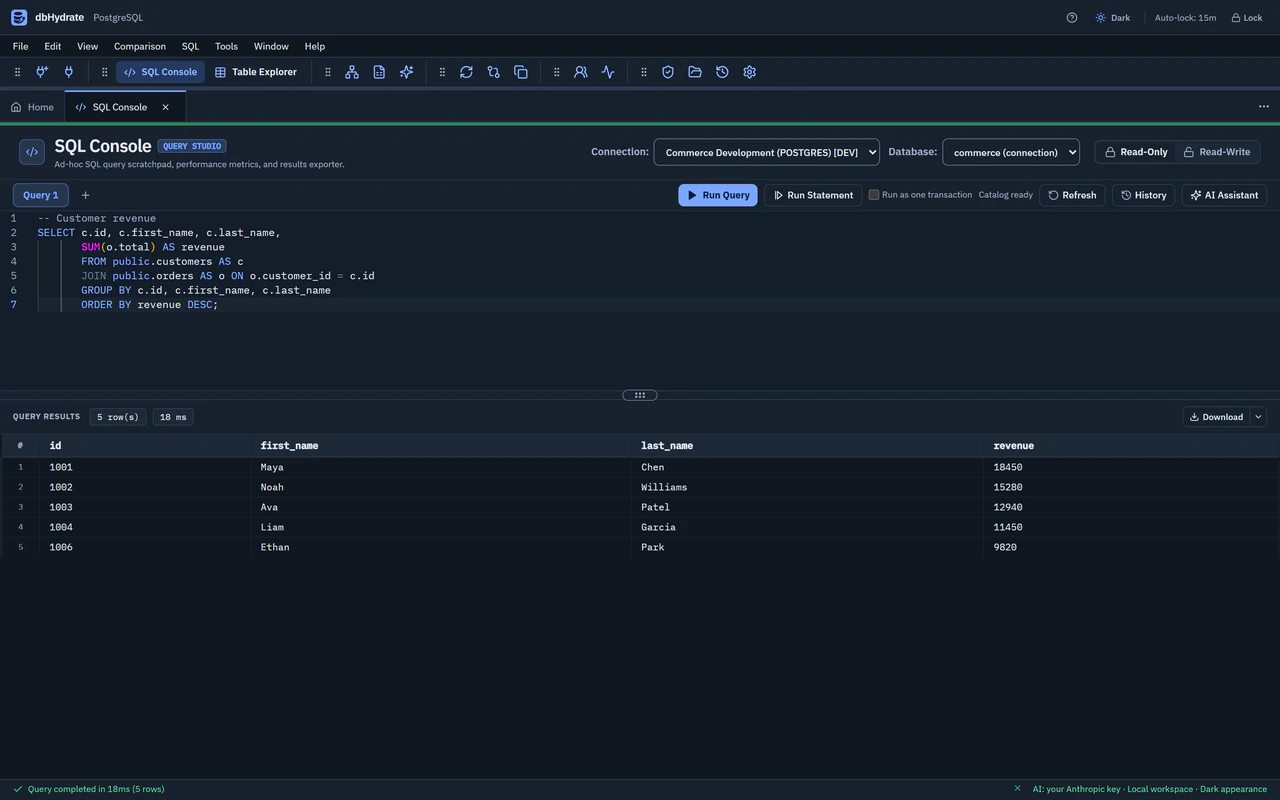
Use a connected development database and an account authorized to read the intended objects. Open SQL Console, confirm the environment and leave read-only mode enabled. A simple connection check can confirm that the session is working before you query application data.
SELECT 1 AS connection_check;02 / RESOURCES
From a question to records you can use.
Keep the query, returned records and next export step connected.
03 / RESOURCES
2. Write a bounded application query
Choose a small, authorized dataset relevant to your task. Use catalog completion and inspect the referenced definitions if a field is unclear. Refresh the catalog after structural changes. Avoid assuming a query written for one engine has identical syntax on another.
04 / RESOURCES
3. Run the intended statement
Execute the selection or statement you mean to run. For a script, inspect every result set, affected-row count and message. If you intentionally use transaction controls, make the commit or rollback decision explicit; MySQL DDL does not share a blanket rollback guarantee.
05 / RESOURCES
4. Check the loaded scope
Read the grid and any row-limit information. More than one selected row exports the selection; otherwise export uses the rows already loaded. Fetch additional rows where supported if they are needed, but do not infer that a visible grid contains the whole table.
06 / RESOURCES
5. Choose the export format
Select Excel, CSV, JSON or eligible SQL INSERT output according to the handoff. SQL INSERT export needs a suitable single-table result and only writes a file; it does not execute the statements. Store the export where its contents are allowed.
07 / RESOURCES
6. Verify or repeat deliberately
Open the exported file and compare row count, headings and representative values with the intended scope. If the result is incomplete, revisit the query and loaded rows before exporting again. Delete or retain incorrect exports under your team’s file-handling procedure; they are outside the workspace vault.
08 / RESOURCES
Try a two-row SQL export without application tables
Use this illustrative dataset to check the query-to-file handoff before exporting application data. It creates three literal records inside a read-only SELECT; it creates no table and writes no database rows. Run only the version for your engine.
PostgreSQL and MySQL use LIMIT here; SQL Server uses TOP. ORDER BY order_id makes the chosen pair predictable. Without a defined order, a row limit alone does not specify which records belong in the result.
Expect two result rows: order 101 with status pending and order 102 with status ready. The third literal record, 103, is deliberately excluded. The example checks the export procedure; it does not measure performance or demonstrate a production dataset.
With these two rows loaded, export CSV and open the file in a text editor. Check the two column headings and the two data records. CSV quoting and line endings can differ, so compare field values rather than expecting byte-for-byte formatting. If you select rows before export, verify that the selected scope is the pair you intend.
| order_id | status |
|---|---|
| 101 | pending |
| 102 | ready |
-- PostgreSQL or MySQL
SELECT order_id, status
FROM (
  SELECT 101 AS order_id, 'pending' AS status
  UNION ALL SELECT 102, 'ready'
  UNION ALL SELECT 103, 'hold'
) AS example_orders
ORDER BY order_id
LIMIT 2;-- Microsoft SQL Server
SELECT TOP (2) order_id, status
FROM (
SELECT 101 AS order_id, 'pending' AS status
UNION ALL SELECT 102, 'ready'
UNION ALL SELECT 103, 'hold'
) AS example_orders
ORDER BY order_id;09 / RESOURCES
Check the exported values and scope
For a real handoff, agree on the fields and records the recipient needs before choosing a format. Include a stable identifier when it is appropriate to share, so a reviewer can match a file row back to the intended query result.
A spreadsheet may reinterpret values when opening a CSV. Leading-zero identifiers, long numbers and date-like text deserve a spot check in the raw file as well as the receiving application. Treat missing values, empty strings and NULL according to the import contract rather than assuming they are interchangeable.
An export is a separate file outside the workspace vault. Apply your team’s storage and retention rules. A successful download only confirms that a file was produced; compare representative values and the intended row scope before treating the handoff as complete.
| Check | Expected evidence | If it differs |
|---|---|---|
| Record scope | The exported records match the query result or deliberate multi-row selection. | Inspect the selection and loaded rows, then rerun or fetch the intended scope. |
| Column identity | Headings and values match the intended result columns. | Use explicit column names and aliases, then verify the new file. |
| Identifier formatting | Leading zeros and long identifiers survive in the raw file and recipient tool. | Set appropriate text handling in the recipient tool and check representative records. |
| Dates and missing values | The recipient interprets time zones, NULL and empty fields as intended. | Agree on the representation before the next export or import. |
Questions & answers
Why does the export contain fewer rows than the table?
A grid export uses the selected or loaded result scope. The table may contain more rows than the query returned or the client loaded.
Can I export a join as SQL INSERT statements?
SQL INSERT export requires an eligible single-table result. Use another supported format when the result does not meet that condition.