SQL SERVER IDE / THE QUERY AND THE WORKLOAD

See the workload.Make the next move clear.

Read the T-SQL, follow a waiting session and understand the access behind it. Connect development and database operations in a SQL Server desktop workspace.

14-day trialMicrosoft SQL Server 2017–2022 · Azure SQLWindows desktop
T-SQL / Billing
UPDATE dbo.Invoices
SET Status = N'Reviewed'
WHERE InvoiceId = 401;
An application statement in context
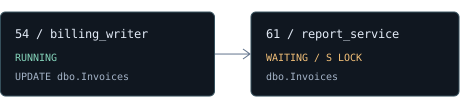
SESSION CONTEXT
Illustrative billing workload: session 54 running an invoice update, session 61 waiting on a shared lock on dbo.Invoices.

Illustrative waiting lock / process identifiers

FOLLOW THE QUESTION

Which statement?Which blocker?Which account?

BUILD WITH OPERATIONAL CONTEXT

From T-SQL to a reviewed action.

Tools for investigating a running application, maintaining its records and preparing database changes.

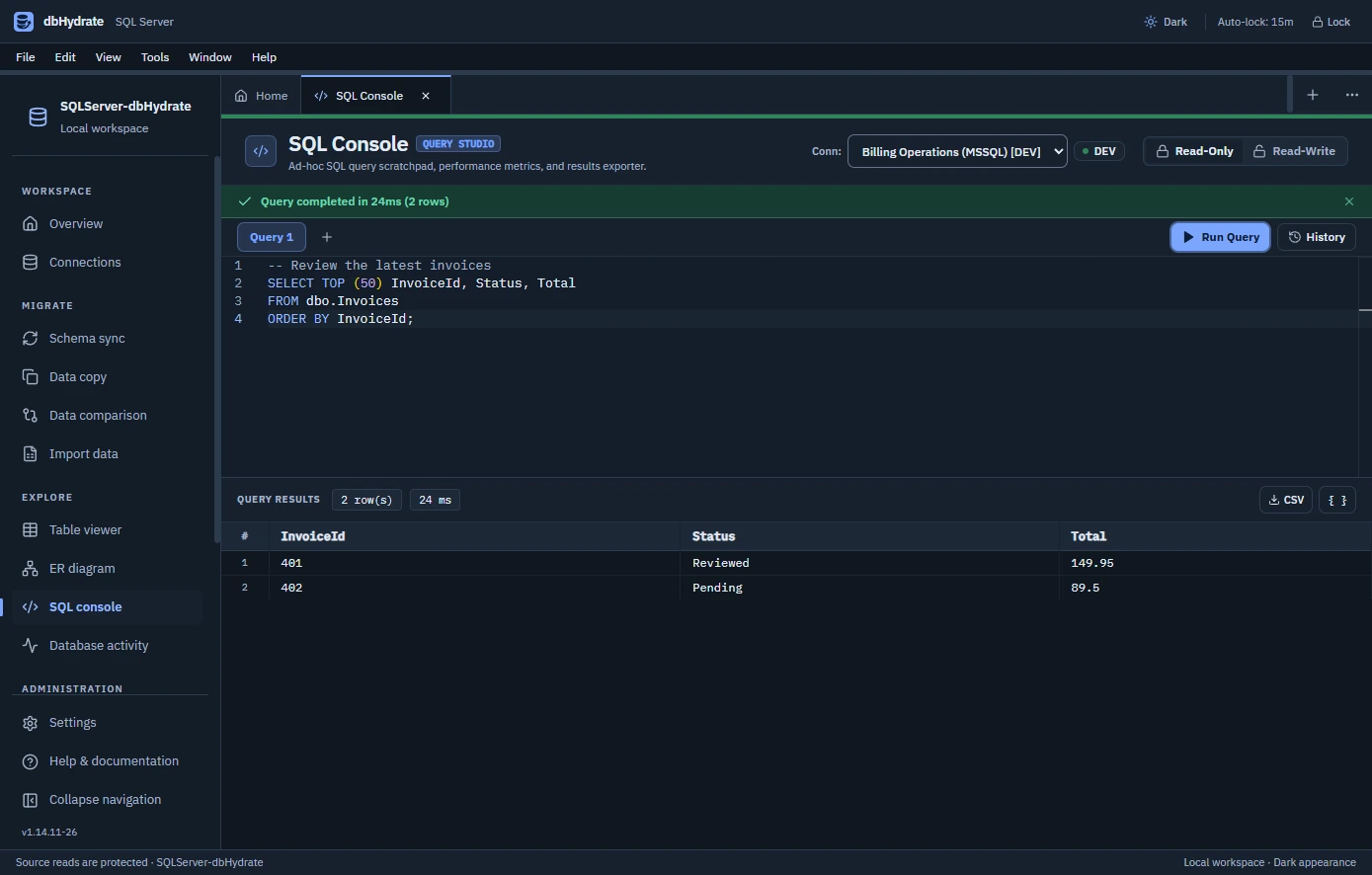
Work through the statement.

Keep T-SQL in separate query tabs. Inspect returned rows, execution time and history, then explore table structure, keys and relationships before taking the next action.

  • T-SQL query tabs
  • Result grids & export
  • Filtered table editing
  • ER diagrams & design
Actual SQL Server SQL console in dark mode with SELECT TOP (50) invoice T-SQL, execution timing and returned invoice records.Inspect the SQL Server query workspace

Rehearse the supported transaction.

Select object differences and review the proposed T-SQL. Supported schema plans can be rehearsed in a transaction that is rolled back before applying to the target.

dbo.InvoicesPROPOSED COLUMN
+ ReviewStatusnvarchar(24)
SELECTREHEARSECONFIRM

Rehearsals can acquire locks. Review transaction-incompatible operations separately; structural snapshots do not back up table data.

Find a changed invoice, precisely.

Use common primary keys to compare a bounded set of source and target rows. Inspect different values and missing records alongside SQL prepared for review.

INVOICEOPERATIONSUAT
401ReviewedPending
402PendingPending
View SQL Server data differences

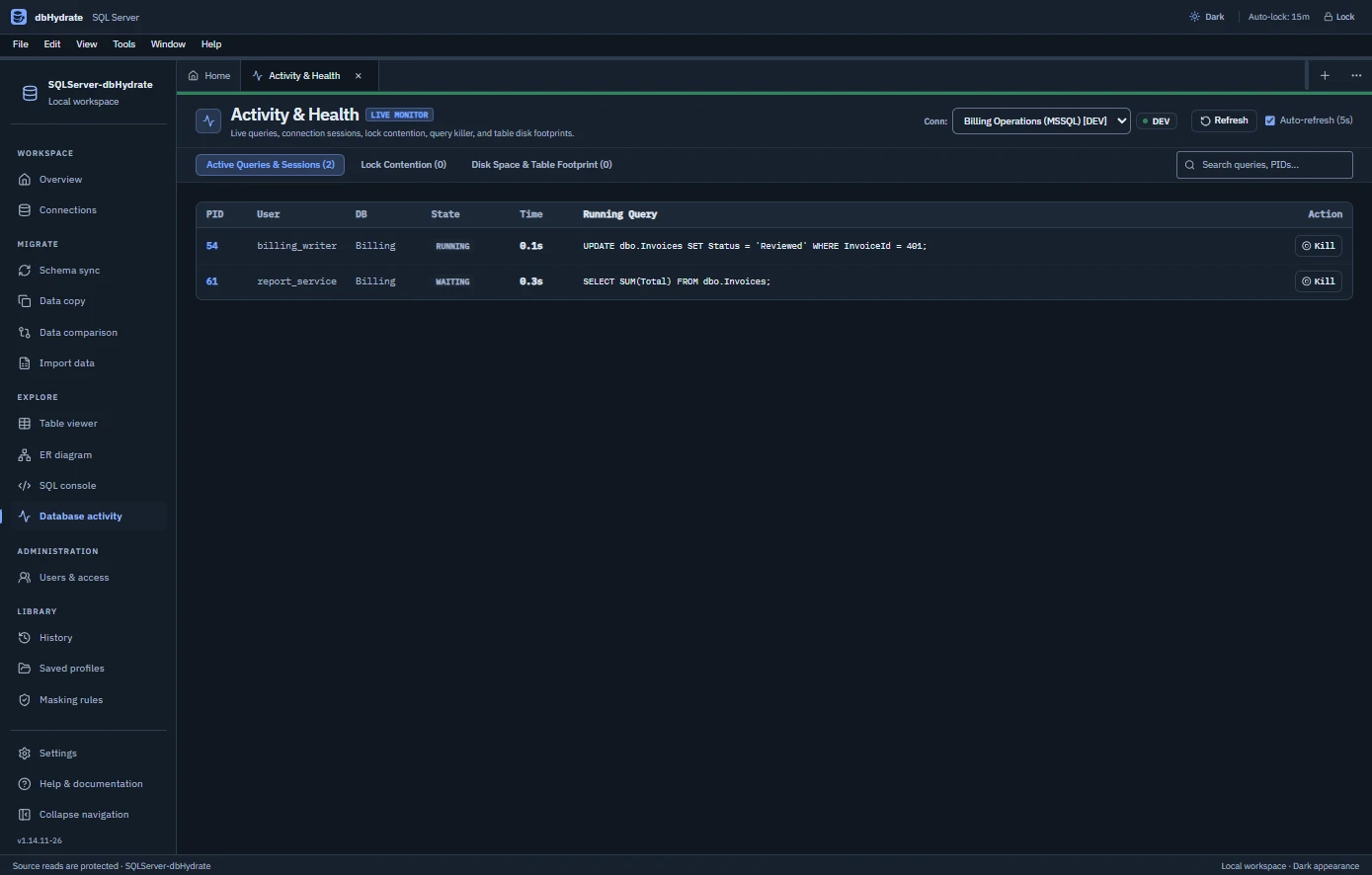
Inspect current sessions.

  • Read session IDs, users and query text.
  • Distinguish running and waiting work.
  • Review elapsed time before intervention.
See the activity workspace

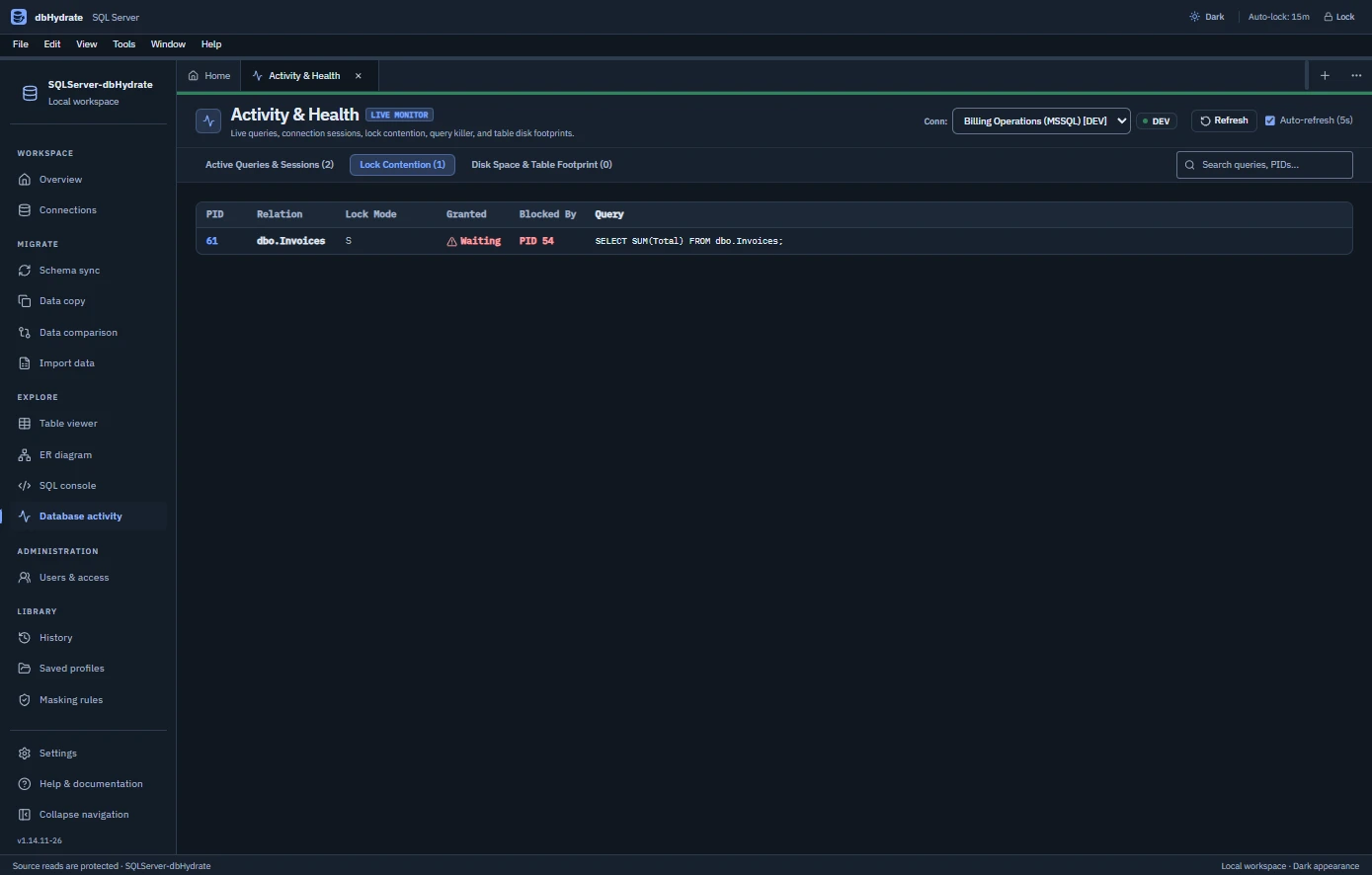
Follow the waiting lock.

  • Inspect lock modes and database objects.
  • Trace waiting and blocking process IDs.
  • Confirm permission-gated termination.
Look at lock contention

Review the right account.

  • Distinguish logins from database users.
  • Inspect roles and supported scoped grants.
  • Preserve existing DENY and inherited access.

Maintain development data.

  • Map and validate Excel or CSV input.
  • Copy filtered and related masked rows.
  • Review identities, triggers and dependencies.

KEEP THE ENVIRONMENT IN VIEW

Clarity around the decision to act.

Development and operations share one workspace, with permissions and review governing each operation.

Investigate before intervening.

Read session identity, state and SQL. Follow blocking information where available and explicitly confirm any session termination your account is allowed to perform.

Keep account scope clear.

Server logins and database users have different responsibilities. Inspect the supported permissions and proposed changes in their selected server and database context.

Make a schema change reviewable.

Inspect planned T-SQL, warnings and the supported rolled-back rehearsal. Check the target and protection gate before an apply operation.

Carry useful context forward.

Save an encrypted local workspace, revisit queries and run history, and reuse profiles or the CLI for supported schema compare, plan and apply workflows.

SQL Server permissions govern inspection and intervention.Read the edition answers

ACCOUNT SCOPE AND ENGINE BEHAVIOR

One engine. Its own safeguards.

SQL Server work has its own login model, transaction constraints and blocking behavior. PostgreSQL and MySQL are separately licensed editions for teams that also work with those engines.

Choose another engine
SQL ServerLogin + database user
PostgreSQLRoles + privileges
MySQLUser + host

SQL SERVER, IN PRACTICE

Understand the scope. Review the constraints.

Straight answers about T-SQL, session investigation, supported rehearsal and account permissions.

Review SQL Server availability
What does the SQL Server edition bring together?

T-SQL query tabs, record editing and mapped imports, ER design, selected-row comparison, masked data copy, schema review, activity and blocking inspection, and supported server-login and database-user permissions.

Can I inspect the query behind a waiting session?

The activity tools show available session identifiers, users, state, elapsed time and SQL text. Lock contention shows waiting lock information and blocking process IDs where the server supplies them. Termination requires explicit confirmation and the necessary permissions.

How does SQL Server schema rehearsal work?

Supported plans run inside a transaction that is rolled back. Rehearsals can acquire locks, and transaction-incompatible operations need separate review. Read the planned T-SQL and warnings before confirming an apply operation.

Does selected-row comparison audit the entire database?

No. It compares a bounded set of records in selected tables with common primary keys. Review identical, changed and missing rows and the generated synchronization SQL within that scope.

How are logins and database users handled?

A server login identifies access at server scope; a database user represents access inside a database and may map to a login. dbHydrate distinguishes these contexts when reviewing supported roles and grants, preserving existing DENY entries and inherited access.

Which SQL Server versions and desktop packages are available?

The published catalog lists Microsoft SQL Server 2017–2022 · Azure SQL. Download packages: Windows x64 installer, Windows x64 portable. Use the current catalog when choosing a target version and installer.

What are the SQL Server trial and license terms?

The published product trial is 14 days. Current billing options: Monthly: $19.95 every month; 1 year: $199 every year; 2 years: $298.50 every 2 years; 3 years: $417.90 every 3 years. Each seat allows 2 device(s) for this product. PostgreSQL, MySQL and SQL Server have separate edition licenses.

CONTINUE WITH ANOTHER EDITION

Working beyond SQL Server?

Use the separately licensed product that matches each database engine in your development environment.

dbHydrate for PostgreSQL

Follow PostgreSQL relationships, review phased DDL and inspect supported login roles and grants.

Discover PostgreSQL

dbHydrate for MySQL

Map inventory files, investigate MySQL records and rehearse DDL with user and host access in view.

Discover MySQL

CONNECT TO YOUR SQL SERVER WORK

Bring the workload into a clearer view.

Explore the T-SQL, activity and reviewed-change tools with tasks from your own SQL Server environment. The available product trial is 14 days.

Microsoft SQL Server 2017–2022 · Azure SQL2 device(s) per seat for this edition

Choose your license

Email and secure card payment. No sign-in needed.

Are you sure?

Close the license selector? You can start again any time.