
Opening an unfamiliar database can produce a long table list and very little understanding. A diagram of every object may be just as difficult to use. Start with a question that limits what you need to see.
Perhaps you need to explain where an order gets its customer, why deleting a record is restricted, or which tables a test fixture must include. That purpose suggests a small group of objects and a relationship path worth checking.
Use a restricted connection to an environment you are authorized to inspect. Confirm the database and schema, and resolve metadata visibility problems before treating the visible catalog as complete.
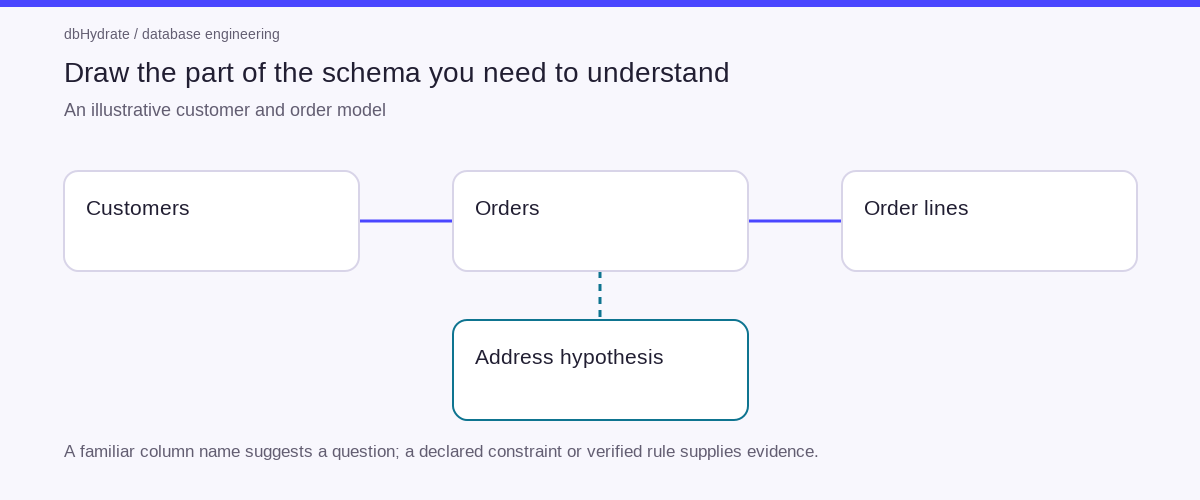
Begin with a short relationship path
For an order investigation, start with customers, orders and order lines. Inspect primary keys and foreign keys, then add a lookup or history table only if it helps answer the question.
Group the tables so another person can follow the path. Keep the identifiers and relevant fields visible. A compact diagram is easier to discuss when the viewer can see why each table belongs in it.
In dbHydrate, use the ER diagram workflow to inspect the supported schema and select the tables needed for the discussion. Check the actual relationship definitions rather than relying only on line placement or a familiar name in a screenshot.
Read the declared relationship precisely
A foreign key describes a relationship between particular columns and a referenced key. Inspect whether the participating fields are nullable, whether the referenced columns are unique, and which direction the reference points.
An order may require one customer under the model, while a customer may have no orders or many orders. A foreign key from orders to customers does not require every customer to have an order. PostgreSQL explains the declared constraint behavior in its constraint documentation.
Do not turn the diagram's apparent shape into a broader guarantee about existing data. Disabled, unvalidated or unenforced relationships need investigation. Check the database engine's actual constraint state and the application's expectations.
Keep inferred relationships visible as assumptions
A column called customer_id suggests a relationship, but the name alone does not establish one. The field might refer to an external service, a historical identifier or a different tenant scope.
If the relationship is enforced in application code, read the relevant query or model definition and record that evidence. Mark the relation as an assumption until it is verified. Do not add a database constraint simply to make the diagram look complete.
For a hypothetical PostgreSQL schema, this read-only query looks for non-null order references without a matching customer:
SELECT o.id, o.customer_id
FROM public.orders AS o
LEFT JOIN public.customers AS c ON c.id = o.customer_id
WHERE o.customer_id IS NOT NULL
  AND c.id IS NULL
ORDER BY o.id;
Adjust the names and relationship rule to your authorized objects. A zero-row result answers this particular check at that moment; it does not prove the business relationship or create an enforced constraint.
Add context that a diagram cannot infer
Ask about tenant boundaries, soft-deleted records, history tables and ownership of reference data. Two tables can join successfully while still requiring a tenant predicate or a status filter to express the intended application rule.
Record such rules beside the diagram or in the accompanying notes. Include the source of the rule, such as a reviewed application query. Another developer should be able to distinguish a declared constraint from a convention and from a question that remains open.
Share a focused, checked view
Before exporting, confirm that the diagram shows the intended database and relevant names. Remove unnecessary sensitive metadata from the view and choose a supported format appropriate to the recipient. Inspect the exported file for clipped labels and legibility.
Send the question the diagram answers along with any unresolved assumptions. For example, the view might establish the declared order-to-customer relationship while leaving the historical address rule for an application review.
The ER diagram guide covers the workspace procedure. The table explorer notes explain another way to inspect the records behind the model. Keep the view narrow enough that a new engineer can follow a relationship and know which part still needs evidence.