
01
Query. Explore. Edit.
Write SQL, work with table records, inspect relationships and import Excel or CSV in the same database IDE.
DBHYDRATE / PLANS & LICENSING
Choose your database, billing term and seats. Review the full-term price, renewal and device allowance before you pay.
Buy without an account. Your license is emailed after payment is confirmed.
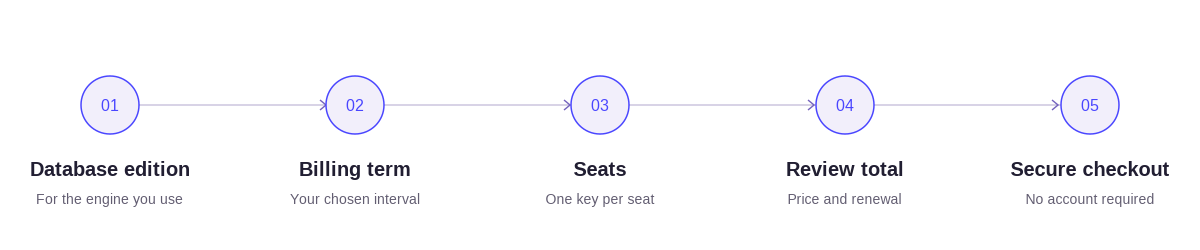
Choose your product, billing term, and seats. Each seat allows 2 devices for PG-dbHydrate, for example your desktop and your laptop.
Start a 14-day trial for this product.
Compare live objects. Review transactional changes and refresh lower environments with selected, masked data.
Explore PG-dbHydratePlanning a team purchase or have licensing questions? Contact sales
Built around the differences between PostgreSQL, MySQL and Microsoft SQL Server. Follow the same path from comparison to a reviewed change, with recovery behavior specific to your engine.
Write SQL, work with table records, inspect relationships and import Excel or CSV in the same database IDE.
Inspect selective schema plans and rehearse them. Copy useful related records with reviewed masking rules and overrides.
Inspect activity and locks, then review supported user, role and permission changes with engine-specific controls.
Use encrypted saved connections, profiles and local run history. Connect directly to your chosen databases.
Full-term prices. Separate engine licenses. Automatic renewal.
PG-dbHydrate: $10.95 every month, $99 every year, $148.50 every 2 years, $207.90 every 3 years per seat. Each seat allows 2 devices. MySQL-dbHydrate: $10.95 every month, $99 every year, $148.50 every 2 years, $207.90 every 3 years per seat. Each seat allows 2 devices. SQLServer-dbHydrate: $19.95 every month, $199 every year, $298.50 every 2 years, $417.90 every 3 years per seat. Each seat allows 2 devices. Terms are paid upfront and renew automatically unless canceled.
A discounted term uses its configured base term and full billing duration. The selected term is paid upfront.
Yes. Each subscription renews for its selected interval unless canceled. Use Account → Billing to manage it.
PG-dbHydrate: 2 devices per purchased seat. MySQL-dbHydrate: 2 devices per purchased seat. SQLServer-dbHydrate: 2 devices per purchased seat.
Each license covers the selected product and its listed databases. Other products require their own licenses.
Choose a product, term and seats, then enter your email and pay securely on this site. No sign-in is required. Your license key is emailed after payment is confirmed.
Each seat lets you activate the product on 2 devices, for example your desktop and your laptop. The number of devices is also shown when you buy. You can free up a device from your account and use the seat on another computer.
Buy another subscription with the number of seats you need. It comes with its own license key and its own term; your existing key keeps its own renewal date.
Yes. On the Billing page of your account, choose a 1, 2 or 3-year term. It starts when your current month ends and is charged then. Your license key stays the same.
In the last 60 days of a yearly or multi-year term you can choose your next term (1, 2 or 3 years, or monthly). The new term starts when the current one ends and is charged then.
We email you and retry the payment. Your license keeps working for 7 days. After that it is suspended until the payment goes through, and it comes back automatically with the same key. If the payment still fails after 14 days, the subscription ends.
Turn off automatic renewal from the Billing page of your account at any time. Your license keeps working until the end of the term you paid for.
Yes, within 14 days of your first purchase, and within 14 days of a yearly or multi-year renewal. Monthly renewals are not refundable. See the Refund Policy for details, or email [email protected].
Free up the old device from your account (or deactivate it in the app), then enter your license key on the new computer.
Enter the code on the pricing page before checkout. A code may apply to certain products, terms or dates, and each customer can use a code once. Codes can be combined with multi-year savings.
Invoices are on the Billing page of your account. Prices are shown before tax; any applicable tax is added at checkout.
The product stops working until you enter a license key. Your connections and settings stay on your computer, so you can pick up where you left off after you buy.