 dbHydrate
Refresh selected data
Choose tables and rows, include the relations you need, and inspect masking and overrides.
Explore the refresh workflowCompare schemas. Rehearse every change inside a transaction that is rolled back, then apply it in one transaction.
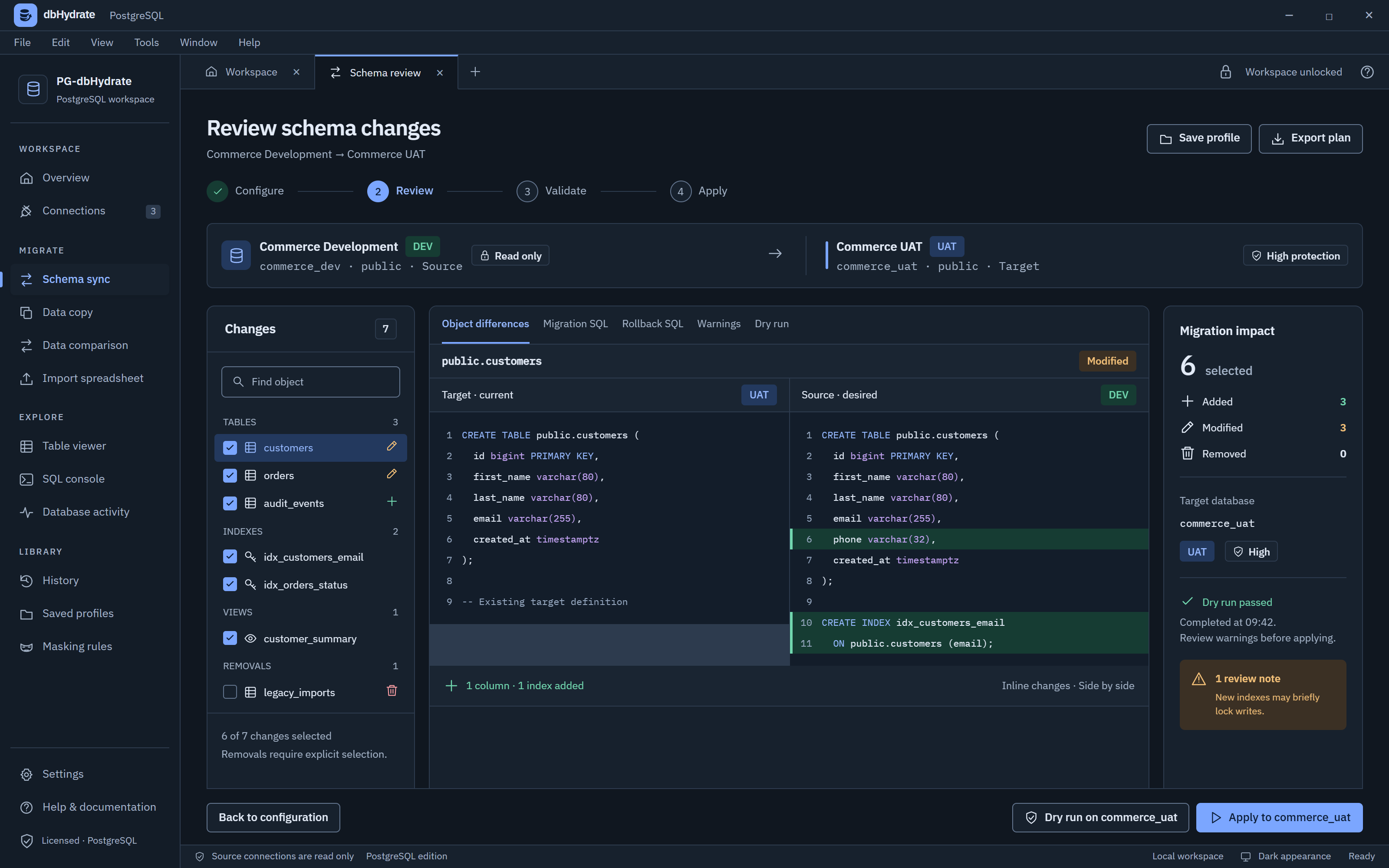
Select differences, inspect SQL, and rehearse a change before applying it.
Choose the objects to review.
Read the generated SQL side by side.
Check warnings and rehearse the plan.
THE CHANGE, IN CONTEXT
Keep the source, target and decisions together. Select the differences you want to include before applying them.
CREATE TABLE dbo.Customers (
  Id bigint PRIMARY KEY,
  first_name varchar(80),
  email varchar(255)
);CREATE TABLE dbo.Customers (
Id bigint PRIMARY KEY,
first_name varchar(80),
email varchar(255),
phone varchar(32)
);+ One reviewed column
Illustrative definitions. Review the actual plan for your database.
Rehearse the supported plan in a target transaction, then roll it back. Review transaction-incompatible statements and locks separately.
Choose tables and rows, include the relations you need, and inspect masking and overrides.
Explore the refresh workflowCreate users, update accounts, and add or remove database access. Review engine-specific roles and permissions before applying.
View the access workspacedbhydrate reads the live Microsoft SQL Server catalog, orders every change by its dependencies, and rehearses the whole plan before you decide.
The full plan runs on the target inside a transaction that is rolled back. You see which statement would fail before anything changes. Then it is applied in one transaction.
BEGIN TRANSACTION;ROLLBACK; -- Dry run: nothing is keptDefault constraints, schema-bound views, indexes and foreign keys are dropped and recreated in dependency order. dbhydrate never uses CASCADE.
dbo.vOrderTotalsdbo.Orders.Amountdbo.vOrderTotalsConnect with a SQL login, Microsoft Entra ID (password or service principal) or Windows sign-in. Secrets are encrypted on your computer and never sent anywhere else.
encrypt: strict · mandatory · optionalsign-in: SQL login · Entra ID · WindowsSources are read inside a transaction that is always rolled back. If the source login can write, dbhydrate tells you on screen, and blocks it on high-protection connections.
dbhydrate supports Microsoft SQL Server 2017, 2019 and 2022, on premises, in virtual machines or in Docker, as well as Azure SQL Database and Azure SQL Managed Instance.
With a SQL login (user name and password), with Microsoft Entra ID (password or service principal), or with Windows sign-in using a domain user and password. Passwords and secrets are stored encrypted on your computer and never leave it.
Microsoft SQL Server can roll back most schema changes. dbhydrate runs the whole plan on the target inside a transaction and then rolls it back, so you see exactly which statement would fail without changing anything. No shadow database is needed. The few statements that cannot run in a transaction are labelled in the plan before you apply.
Microsoft SQL Server cannot lock a session to read-only. dbhydrate reads a source database inside a transaction that is always rolled back, checks whether the login can write and warns you if it can, and blocks unsafe filter text. The app tells you on screen whenever one of these safeguards applies. For full protection, use a login that can only read.
No. SQLServer-dbHydrate is a separate product. Each license works in the product it was bought for. See the current device allowance per purchased seat on the pricing page.
14-day trial · Starts when you register in the desktop app. Each purchased seat allows 1 device(s).